
Plumbing fixture schedule template for Excel
A plumbing fixture schedule records what to order for each bathroom or kitchen. This free Excel template keeps model numbers, finish codes, related parts and approval status together, with a worked shower example and a blank schedule for your project.
Two sheets. A worked example and a blank schedule with 30 rows. Opens in Excel and can be imported into Google Sheets.
What belongs in the schedule
Give each purchased component its own row and a stable tag. Link related items by tag so the buyer can check the whole assembly before placing an order.
| Fields | What to record |
|---|---|
| Tag, room, item, quantity | A unique reference such as PL-01, the bathroom name and the number required. |
| Manufacturer, model, finish code | The complete orderable model. Keep the manufacturer's finish code alongside its name. |
| Related tag, product or spec URL | The component that must coordinate with this item, plus its source document. |
| Technical review, client approval | Separate decisions. Record who checked compatibility and who approved the selection. |
| Supplier, quote, lead time, revision | The purchasing details and the date the selection changed. |
The workbook includes separate fields for the technical reviewer's name and client approval date. Use the notes column for mounting, dimensions and any unanswered questions. Keep detailed drawings and installation instructions in the linked documents.
Worked example: a shower trim and valve
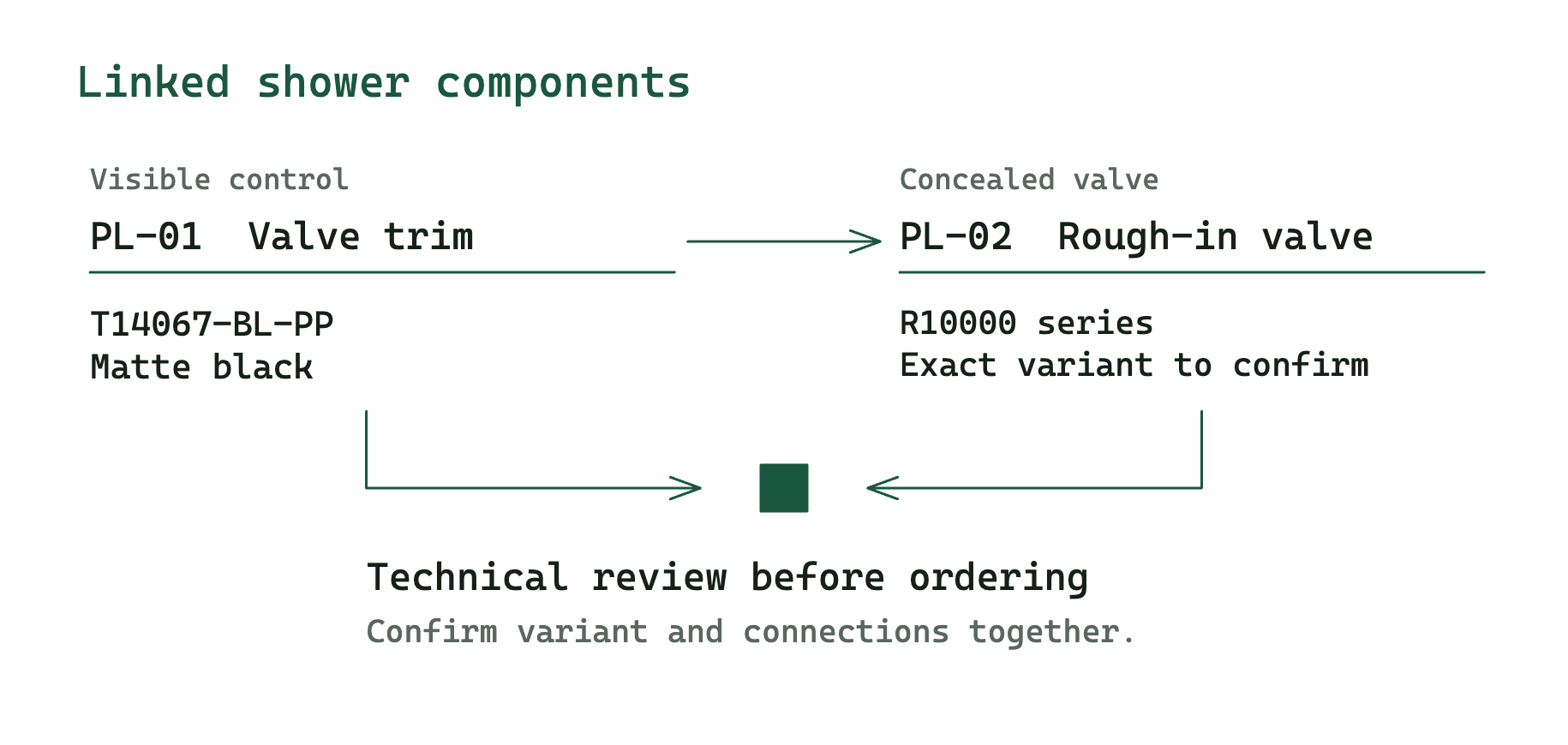
Delta's T14067-BL-PP is a matte black valve trim. Delta states that it requires a separately ordered MultiChoice R10000-series rough-in valve. That creates two purchasing records even though the client sees one control. Delta product details .
| Tag | Item | Model or selection | Related tag |
|---|---|---|---|
| PL-01 | Shower valve trim | Delta T14067-BL-PP, matte black | PL-02 |
| PL-02 | Rough-in valve | R10000 series, exact variant pending technical review | PL-01 |
The example deliberately leaves the exact valve variant open. The installer needs to confirm connections and the project conditions before the buyer orders it. A shower head, arm, drain and any other required parts need their own selections too. Add those selections to the project's shower specification.
Fill in your bathroom schedule
- List every purchased item. Start with the basin, faucet, toilet, shower components and accessories. Include concealed parts that ship separately.
- Copy the full model and finish. Link the manufacturer's current cut sheet. Record dimensions with their units and retain the source.
- Connect related components. Use the related-tag column for the trim and valve, basin and faucet, or basin and waste assembly.
- Record both reviews. Ask the project professional to check the technical details. Record the client's selection approval separately, then obtain the supplier's quote and lead time.
- Issue a revision. Keep the tag when a selection changes. Update the model, linked documents and revision note, then send the revised schedule to the people ordering and installing it.
For a whole-home product list, use the FF&E schedule guide . For a detailed record of one item, use the specification sheet guide .
Questions to resolve before ordering
Does the selected product include every part? Read the manufacturer's “included” and “sold separately” lists. Add missing components as linked rows.
Does the finish code match the approval? “Brass” or “black” can describe several manufacturer finishes. Record the exact code the client selected.
Has someone checked the installation requirements? Have the installer or relevant design professional confirm compatibility, mounting and site requirements from the current documents. The schedule gives them a place to record the decision.
Can I use this in Google Sheets? Yes. Upload the XLSX to Drive and open it with Google Sheets. Keep the example sheet for reference and enter your selections on the blank sheet.