
Interior design client presentation template
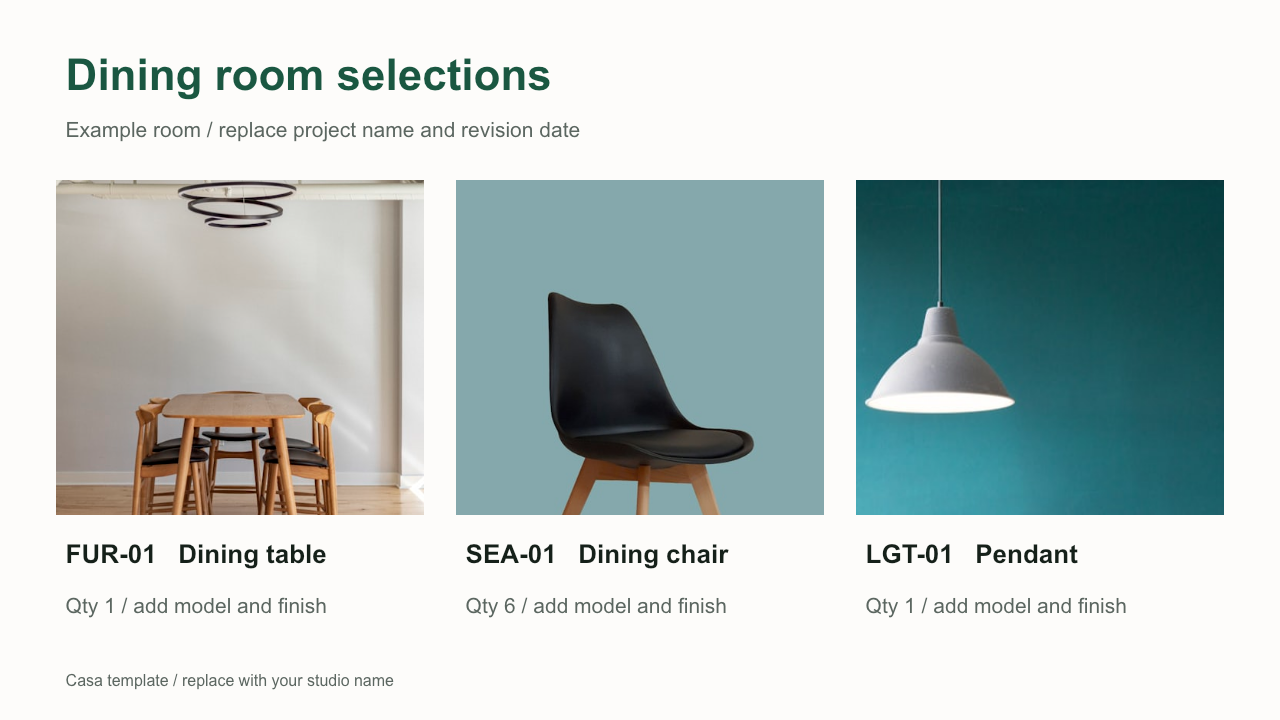
This free interior design client presentation template gives you three editable slides for one room. Show the furniture selection, compare finish options and record the client's decisions. Download the PowerPoint file and open it in Google Slides or PowerPoint.
Three editable slides in a PPTX file. Includes an illustrative dining room example and replacement instructions in the speaker notes.
What each slide does
| Slide | Content | Decision it supports |
|---|---|---|
| Room selections | Product photos, item tags, quantities and short descriptions. | Does the proposed furniture suit the room and brief? |
| Finish options | Two finish directions with space for a reference image, exact finish code and price difference. | Which finish should the studio confirm with the supplier? |
| Client decisions | An editable table of item tags, decisions, comments and next actions. | Which selections can proceed, and which need revision? |
The download uses sample product images from Casa's website. Its example text is for layout practice. Replace the images, descriptions and quantities with your selections, then confirm dimensions, current prices and lead times before the meeting.
Keep item tags consistent
Use the same tag in the schedule, on the product slide and in the decision table. If the client requests a different dining chair, the SEA-01 reference lets you carry that comment back to the correct schedule row.
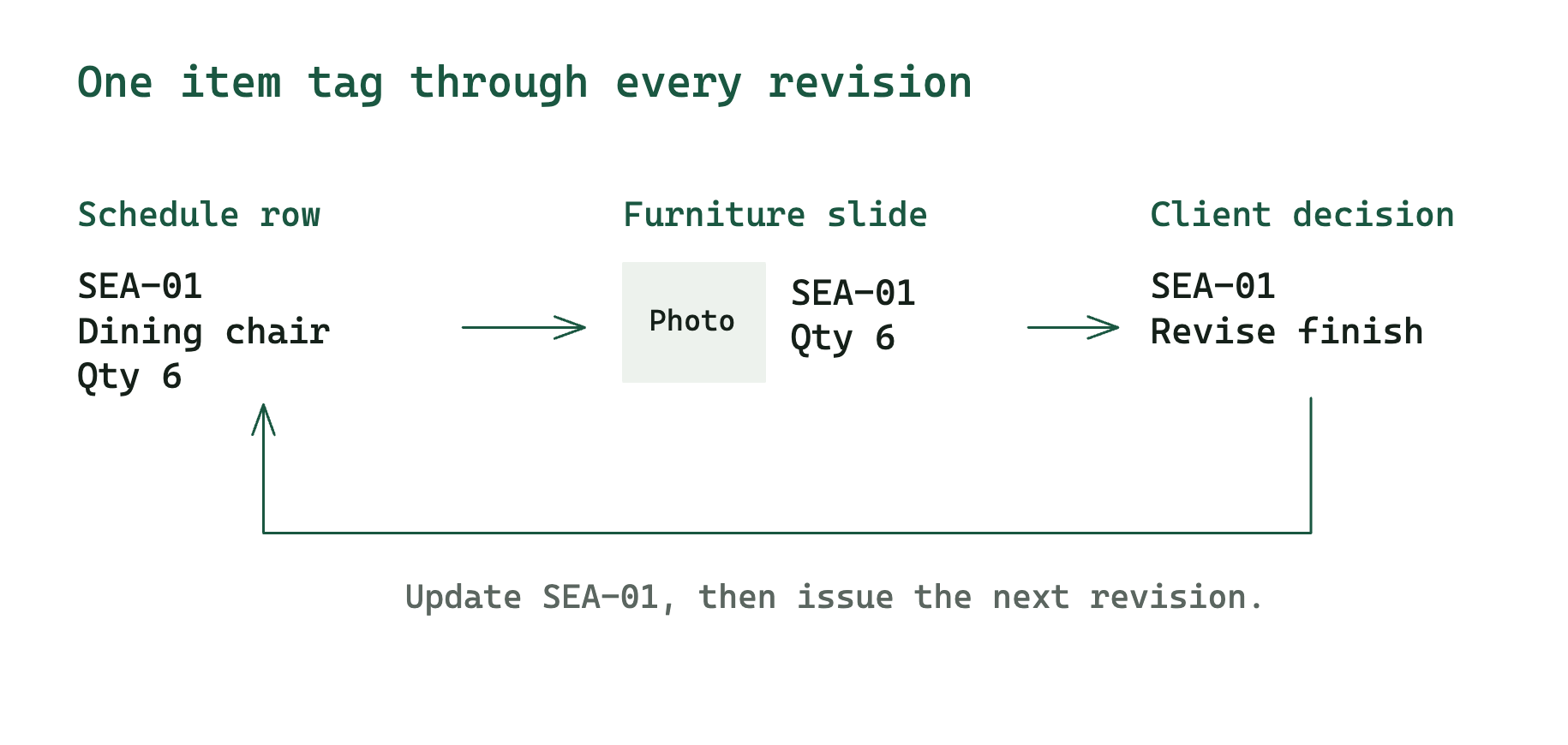
The slide holds the information needed for that discussion. The FF&E schedule holds the full purchasing record. Link a detailed product specification sheet when a selection needs dimensions or installation details beyond the slide.
Open the template in Google Slides
- Download the PPTX file above.
- Upload it to Google Drive and open it with Google Slides.
- Choose File → Save as Google Slides to create a native Slides copy.
- Replace the sample content and check image crops, fonts and text wrapping in the converted file.
Google documents the import and conversion workflow in its Slides getting-started guide . You can also edit the downloaded file directly in PowerPoint.
Prepare one room for review
Start with the room name and revision date. On the selections slide, use clear product images with a consistent background. Keep the item tag next to the image so a comment remains identifiable after you change the layout.
For finish options, show the actual supplier sample or product photograph. Add the finish code and any price difference. A photographed material sample can help the conversation, while the physical sample remains the reference for approval.
On the decision slide, record Approved, Revise or Pending, along with the client's comment and the next person responsible. Leave unresolved decisions marked Pending. Save a dated PDF after the meeting and transfer the decisions into the schedule before ordering.
Questions about the template
Can I add my studio's branding?
Yes. Edit the text, colours and images, and replace the Casa credit with your studio name. The slide elements remain editable.
How many products should go on a slide?
The example has three product groups. Add another slide when labels or product details become hard to read at presentation size. Duplicate the room slides for the next room.
Should the presentation include prices?
Include prices when the meeting needs a budget decision. Use the furniture markup calculator to check the selling price, then identify whether tax, freight and other charges are included. Keep the full fee and scope terms in the project proposal .